
TL;DR
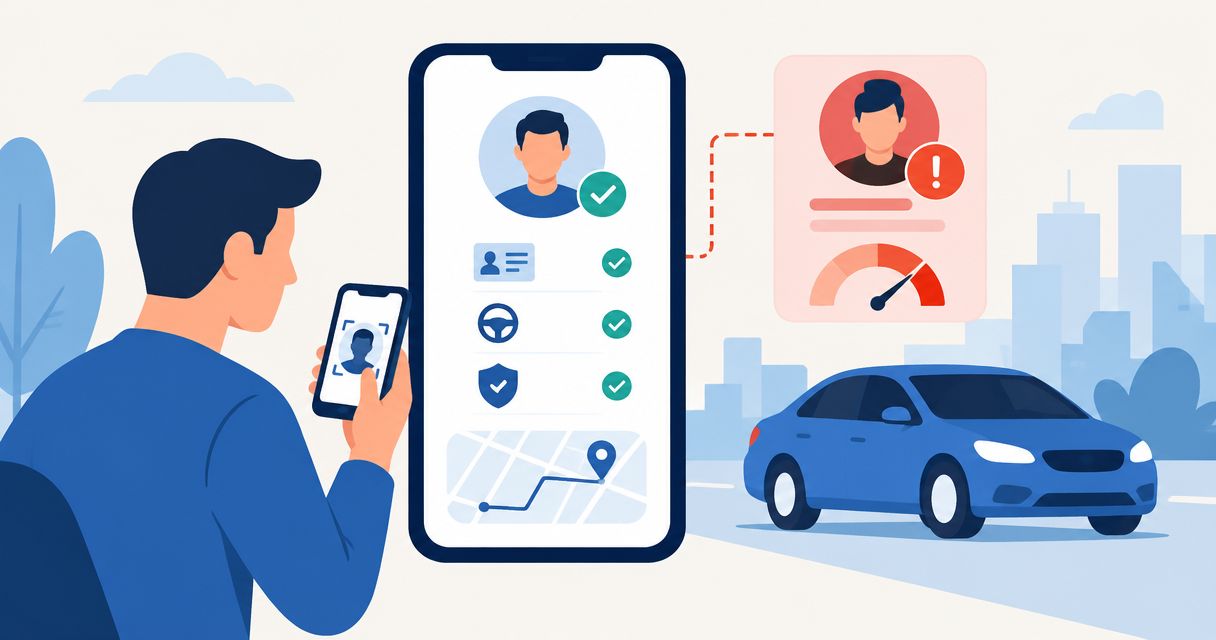
- Automatic driver risk flagging mobility onboarding should route exceptions for review, not turn every signal into rejection.
- Checktiv suits mobility teams that want link-based identity verification and screening within a separate driver approval workflow.
- Keep identity verification, driving eligibility, and account activation as separate decisions.
- Test incomplete checks, corrected details, and repeated results before enabling approval routing.
Instead of checking every driver application separately, configure your mobility app to route verification results into a review queue before activation. Use Checktiv for link-based identity verification and screening, and keep driver eligibility rules, exceptions, and approval decisions in your onboarding workflow.
Why this matters
A driver risk flag is a request for a decision, not a decision itself. An unreadable identity document, a possible screening match, and a driving eligibility issue require different responses. Putting them under one high-risk label makes the review queue harder to use.
For your 2026 onboarding workflow, separate who the applicant is from whether the applicant meets your driving requirements. Identity screening does not establish licence validity, insurance coverage, or permission to drive for your service. Define those requirements independently.
Checktiv is best for mobility teams that want link-based identity verification and screening within a separate driver approval workflow. For the broader requirements, see the guide to driver background checks for mobility platforms.
This guide describes application-side configuration and decision logic. The field names below are suggested names for your own records, not product interface labels or instructions for a particular connector.
Before you start
- Prepare access and ownership. You need access to your mobility app's onboarding configuration, your verification account, and an approved way to transfer verification outcomes into the applicant record. Assign an owner for reviewing exceptions.
- Write your driver policy. Specify the identity checks, driving credentials, screening permissions, and approval requirements relevant to your service and operating locations. Keep customer communication and data access aligned with that policy.
- Separate completion from clearance. A completed verification is not automatically a cleared driver. Your workflow must distinguish a returned result, a result requiring review, and an application that meets every activation requirement.
The last point is the setup gotcha. If your app treats any completed check as approval, it can activate an applicant before a reviewer resolves an exception. Build the activation gate before connecting results.
Applicant record and activation gate
Start with the record your mobility app will use to make decisions. A verification result without a dependable applicant association is not ready for approval routing.
Configure the applicant record
- Assign a stable applicant identifier. Keep the identifier unchanged when a driver corrects a name, updates contact details, or resubmits a document. Do not use a changeable email address as your only association.
- Separate verification from eligibility. Use distinct fields for verification state, screening review, driving eligibility, and activation state. Suggested application-side names are
verification_state,screening_review_state,driving_eligibility_state, andactivation_state. - Record the reason for an exception. Store a useful reason such as an incomplete check, unresolved identity discrepancy, or screening result awaiting assessment. Avoid a single unexplained risk flag.
- Attach the policy version. Record which rules governed the decision. A version such as
2026-onboarding-policyhelps reviewers distinguish a current decision from one made under a superseded rule set. - Keep activation closed until requirements are met. Configure your application so missing results and unresolved exceptions cannot satisfy the approval gate.
Expected result: Every applicant has a stable record, separate decision states, and an identifiable policy version. A newly created application remains unapproved until the required checks and decisions are complete.
Do not copy sensitive screening details into every operational system. Give the review team access to the evidence it needs, while showing support staff only the status and next action relevant to their work.
Verification link and result association
The shared link collects the verification input. Your application still needs a dependable way to connect the resulting outcome to the correct applicant.
Configure the verification handoff
- Create the verification request through your supported workflow. Checktiv provides link-based identity verification and screening. Use the link as the applicant's verification entry point without presenting it as a driving credential check.
- Associate the request with the applicant. Preserve the relationship between the applicant record and the verification request using the identifiers your chosen implementation supports.
- Explain the next step. Tell the driver what the verification request is for, where to complete it, and how your team will communicate the onboarding decision. Avoid promising approval before reviewing the outcome.
- Keep completion separate from submission. Sending a link does not mean the driver opened it. Submission does not mean every required check has returned a usable result.
- Transfer the result through an approved connection. Use a connection that your technical team has validated for the selected service. Preserve the result reference and the time your application received it.
Expected result: The applicant receives a verification link, and each returned result belongs to an identifiable application. Sending the link alone does not change activation eligibility.
For a 2026 implementation, document which system owns each state. The verification service supplies its outcome; your mobility application owns the driver approval decision. That boundary prevents a product status from silently replacing your operating policy.
Decision routing and review queue
Configure routing around the action each result requires. Do not invent a numeric risk threshold simply because the onboarding app has a score field.
Configure the decision rules
- Map returned outcomes to defined states. Translate the outcomes your connection actually supplies into your application's decision states. Preserve the original outcome so reviewers can trace the mapping.
- Route incomplete results to follow-up. Request the missing action without describing the driver as ineligible. Keep activation pending while the required check remains incomplete.
- Route unresolved exceptions to review. Assign a reviewer and a reason. A possible screening match needs assessment before your workflow treats it as a confirmed finding.
- Apply driving requirements separately. Check the credentials and other eligibility evidence your service requires. A clear identity result must not bypass those requirements.
- Release activation only after approval. Require all applicable conditions to be satisfied and no unresolved review state to remain. Record the approval reason and decision owner.
Expected result: Each application reaches an actionable state: follow-up, review, approved, or not approved under your policy. Every state has an owner and a next step.
Compare the routing options
These are workflow choices, not separate products. Choose the route according to the evidence available.
| Route | Best for | Advantage | Limitation |
|---|---|---|---|
| Applicant follow-up | Missing or unusable verification input | Gives the driver a clear correction path | Requires a new submission or response |
| Reviewer assessment | Unresolved discrepancies or screening matches | Allows a person to assess context | Depends on reviewer capacity and documented rules |
| Approval gate | Applications meeting all required conditions | Keeps activation tied to explicit requirements | Works only when every required state is represented |
Checktiv's role is verification and screening, not a substitute for your driver eligibility policy. Link-based verification gives applicants a defined starting point. Your application must still handle association, review ownership, and activation logic.
The process has a clear order. Collect the verification input, associate the result, resolve exceptions, and approve only after eligibility requirements are satisfied.
*Verification results inform the approval gate; they do not replace eligibility decisions.*
Validate the routing before release
Create test applications that represent the outcomes your connection supports. Include a complete result, an incomplete result, an unresolved exception, a corrected application, and a repeated result delivery.
For each test, inspect the applicant association, resulting state, review owner, and activation outcome. A failed check should reveal a specific broken rule, not just a different badge colour. Keep your 2026 acceptance checklist with the policy configuration so a later change can repeat the same tests.
Recheck drivers when application details change
Initial onboarding and later updates need different rules. A driver correcting contact information is not the same event as a driver replacing identity information or submitting new eligibility evidence.
Configure a second workflow for material changes:
- Define relevant changes. List which changes invalidate an earlier decision under your policy. Do not restart verification for every profile edit.
- Preserve the earlier decision. Keep its evidence references, policy version, and reason rather than overwriting the record.
- Create a new review state. Associate the updated information with the same applicant and distinguish the new assessment from the original approval.
- Apply the correct activity restriction. Decide whether an existing driver can continue operating during review according to your documented requirements. Do not reuse a new-applicant restriction without checking its purpose.
- Close the update explicitly. Record whether the changed information was accepted, required another correction, or altered eligibility.
Expected result: Relevant updates receive a fresh assessment without creating duplicate driver identities or erasing the earlier approval history.
For your 2026 update policy, name the events that trigger reassessment. A written trigger list is easier to maintain than an instruction to recheck whenever something looks different.
Troubleshooting
Completed verification activates the driver too early
Your activation rule is reading completion as approval. Separate the returned-result state from the eligibility decision, then require all relevant approval conditions before activation. Retest with a completed result that still requires review.
A result appears on the wrong applicant
Check how your workflow associates requests and results. Replace matching based only on names or contact details with a stable applicant relationship. Hold the affected decision until the evidence is correctly associated.
Repeated results create duplicate review tasks
Make result handling safe to repeat. Recognise a result you have already processed and update the existing review record rather than creating another task. Test repeated delivery before enabling the workflow for live applicants.
Corrected documents leave the application stuck
Check whether your workflow distinguishes the earlier submission from the corrected one. Keep both references, identify the current submission, and reassess the unresolved reason. Do not let an old exception silently override the updated assessment.
Reviewers cannot explain a risk flag
Replace the generic flag with a reason, evidence reference, policy version, and next action. Restrict sensitive details to authorised reviewers. A support agent should be able to explain the next step without receiving the complete screening record.
Customize your workflow
Expand the workflow by improving review clarity before adding more checks. Group applications by the action required, such as applicant correction, identity assessment, or eligibility review. Give each group a clear owner.
Checktiv can provide the link-based verification entry point, while your onboarding application maintains the decision record. Keep that division visible as your team grows. A broader screening scope requires a corresponding review policy, not just another flag.
Use the ID verification integration guide for developers when planning the technical connection. Document supported outcomes and data handling before changing the activation gate.
One last thing
Name the next action, not the person. A queue labelled identity correction or eligibility review tells your team what to do. A queue labelled high-risk drivers does not explain the evidence or the task.
Before releasing your 2026 workflow, have a reviewer explain each test application's next step using only its decision record. If the explanation requires searching unrelated messages, improve the record before adding more routing rules.
Related guides
- Driver verification software for mobility platforms
- Background screening for gig economy platforms
- Onboarding fraud prevention software
Frequently asked questions
What is automatic driver risk flagging in mobility onboarding?
Automatic driver risk flagging routes verification or screening outcomes into defined follow-up and review states during driver onboarding. It should support your eligibility policy rather than turn every exception into rejection.
Can Checktiv verify applicants through a shared link?
Checktiv provides link-based identity verification and background/fraud screening. Your mobility workflow must associate the result with the applicant and apply its own driver approval requirements.
Does identity verification prove that someone is eligible to drive?
Identity verification does not establish driving eligibility. Assess the driving credentials, coverage, and other requirements relevant to your service separately.
Should every screening match block a driver permanently?
A possible screening match should receive assessment before it becomes a final decision. Document the evidence, applicable policy, and decision reason rather than rejecting an applicant from an unexplained flag.
What should happen when a driver has not completed verification?
Keep the application in a follow-up state and explain the outstanding action. An incomplete check is not the same as a confirmed eligibility failure.
How do I prevent duplicate driver review tasks?
Associate each result with a stable applicant record and make repeated result handling update the existing task. Test repeated delivery before releasing the workflow.
When should I recheck a driver after onboarding?
Recheck when a change or event meets a trigger defined in your eligibility policy. Preserve the earlier decision and record the new assessment separately.